TimeCue – Reminders & Alerts
Classified Prime LLcProductivity
3.682.00 Reviews
- Version
- 1.00.5
- Installs
- 500.00K
- Age Rating
- Everyone
Screenshots
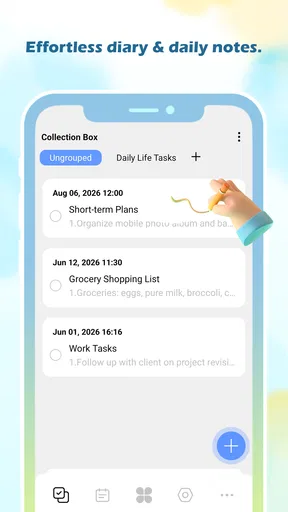
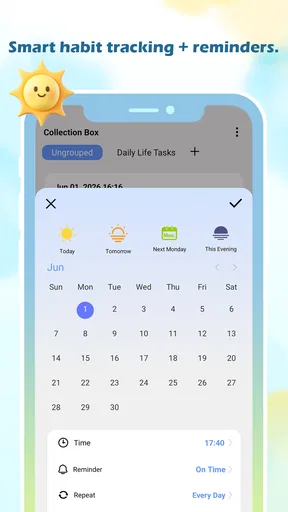
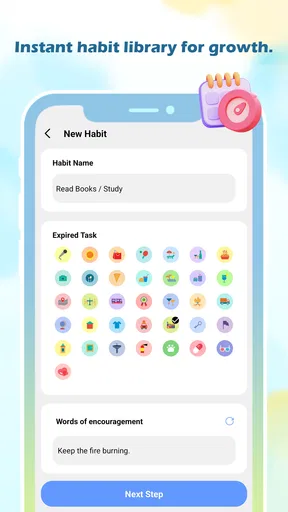
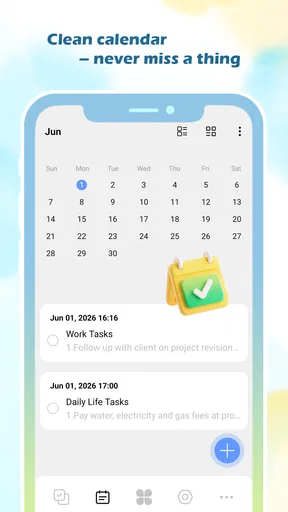
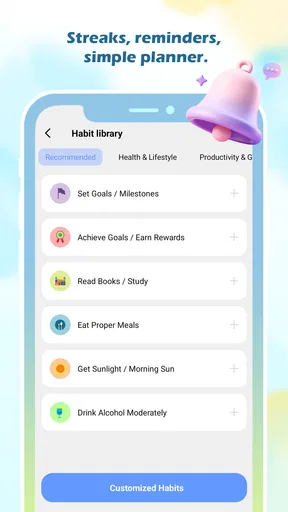
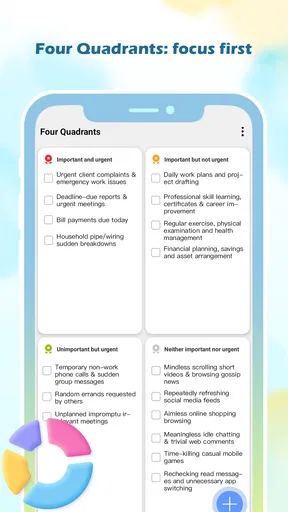
Our Review of TimeCue – Reminders & Alerts
 Analysis by Appyee
TimeCue – Reminders & Alerts is a productivity app built around a simple everyday problem: noticing the right moment before it passes. I approached it less like a full task-management system and more like a focused companion for prompts, reminders, and alerts. That distinction matters, because its value depends on whether you want a clear nudge at the right time or an all-in-one workspace for projects, notes, calendars, and collaboration.
My first impression is that the app’s idea is easy to understand. The store summary, “Seize the Day and find the Moment,” points toward timely awareness rather than complicated planning. In practice, that makes TimeCue interesting for people who often remember an intention too late: taking a break, starting a routine, checking something at a particular moment, or returning to a small task after being interrupted.
It is free, aimed at everyone, and developed by Classified Prime LLc. The current release is version 1.00.5, with support beginning at Android 8.0. Those details make it accessible to a broad range of Android users, although the practical experience can still depend on the phone’s own battery and notification controls.
How TimeCue feels during ordinary use
In ordinary use, I’d judge TimeCue less by how many reminders I can create and more by whether each one helps me switch attention at the right moment. I’d keep its prompts specific and limited, so they remain noticeable rather than blending into the day. That everyday rhythm also makes it easier to see where a focused reminder app helps—and where a broader planning tool is a better fit.
A focused approach to speed
TimeCue is the kind of app I would expect to open quickly because its purpose is narrow. I am not looking for a large dashboard or a long setup process when I need to create a prompt for later. A reminder tool earns its place on my phone by reducing the distance between “I should remember this” and “the app will remind me.” That short path is more important than visual complexity.
The strongest use case is a small, immediate decision. Suppose I am cooking and need to check something after a short interval, or I am working and want a prompt to stand up before I lose track of time. I do not need a project board for either situation. A dedicated alert app can feel more direct than opening a calendar, creating an event, choosing a calendar, and then adjusting details that are irrelevant to the moment.
That simplicity also creates a trade-off. If I want to connect a reminder to a broader plan, attach extensive notes, assign it to somebody else, or see a detailed history of completed tasks, a specialized task manager may be the better tool. TimeCue makes more sense when the alert itself is the useful result, not when the reminder is only one small part of a larger workflow.
The practical speed advantage is fewer decisions before setting a prompt. I would use that advantage for interruptions, short routines, and time-sensitive nudges. I would not judge it by the standards of a full calendar or a team productivity suite, because those products solve a much wider problem.
What happens when reminders become frequent
Light use is easy to imagine, but the more revealing test is a busy day. A person may create several reminders while moving between work, errands, meals, and personal routines. That is where organization becomes as important as speed. If every alert has the same visual weight, frequent reminders can become background noise instead of useful guidance.
My advice is to treat TimeCue as a filter for genuinely important moments, not as a place to record every thought. Before creating an alert, I would ask whether I need a time-based prompt or simply a note. This small habit prevents the app from becoming crowded with low-value notifications and makes the alerts that remain easier to respect.
A realistic example would be a remote worker who starts the morning with a focused session, needs to pause for lunch, remembers a delivery window, and wants a prompt to prepare for an evening appointment. TimeCue can fit those separate moments without forcing the person to turn the whole day into a detailed schedule. The benefit is mental relief: once the reminder is set, the user can return to the current activity instead of repeatedly checking the clock.
Heavy use can also expose a human limitation rather than an app limitation. Too many alerts compete for attention. Even a dependable reminder becomes less effective when the user dismisses notifications automatically. I would therefore group only related moments when possible and keep the wording short enough to understand at a glance. The app is most helpful when each alert answers one question: what do I need to notice now?
Reliability depends on the complete phone setup
For any reminder application, reliability means more than opening without trouble. The important question is whether the user can trust an alert to arrive at the intended moment. That experience is influenced by the operating system, notification settings, battery management, and the way the phone handles apps in the background. I would not treat the app alone as responsible for every missed prompt.
After installing TimeCue, I would immediately check the phone’s notification controls and make sure alerts are allowed. On devices with aggressive battery saving, I would also review whether background activity is restricted. These are sensible precautions for a reminder tool, especially if the alert matters for medication, travel, work, or another situation where a missed prompt has consequences.
I would still keep a backup for high-stakes commitments. A reminder app can support my routine, but it should not be the only safeguard for something critical. For an appointment, I might also use a calendar entry; for an important deadline, I might add a second reminder through a separate system. That is not a criticism unique to TimeCue. It is a realistic way to use any alert-based tool responsibly.
Recovery is another part of reliability. If I restart my phone, change notification settings, or move between battery modes, I would review upcoming reminders rather than assume everything remained unchanged. A quick check is especially worthwhile after a major device update or when the phone has been unusually restrictive with background apps.
What I like about this approach is that it gives the user a clear role. TimeCue can provide the reminder structure, while the device settings determine whether that structure is allowed to reach the screen or sound. People who want a tool that works without any attention to system settings may find this frustrating, but anyone familiar with Android notification behavior will recognize the trade-off.
Resource demands and older devices
TimeCue supports Android 8.0 and later, which makes it relevant to users who are not carrying the newest phone. A reminder utility should not need the same resources as a video editor, a modern game, or a large social platform. Its focused purpose suggests a reasonable fit for everyday devices, particularly when the user wants a small productivity aid rather than another demanding app.
I would nevertheless judge resource use over a full day, not only during the first launch. A reminder app has to remain useful when the screen is off and the phone is being used for other things. Battery behavior, alert delivery, and notification visibility matter more than a flashy opening animation. If the phone is already struggling with storage or background activity, I would keep the overall setup lean and avoid turning every possible event into a reminder.
Older Android users should also remember that the minimum operating system is only one part of compatibility. Screen behavior, manufacturer software, notification categories, and battery policies can vary from one device to another. Two phones running the same Android generation may handle alerts differently. That is why I would test TimeCue with a low-risk reminder soon after installation, rather than relying on it immediately for an important event.
For a user with limited storage, the app’s focused role is appealing because it does not need to replace a whole collection of productivity tools. For a user who already owns a calendar, notes app, task manager, and habit tracker, the question is different: does TimeCue make reminders easier, or does it add another place to maintain? The answer depends on whether its direct alert workflow feels faster than the existing options.
Where it fits beside familiar alternatives
The usual alternatives fall into several groups. Calendar apps are better when a reminder belongs to a meeting, appointment, travel plan, or recurring schedule that needs context. Task managers are better when an item has a status, a deadline, subtasks, labels, or a long list of related actions. Alarm tools are often better for wake-up routines or repeated daily signals. TimeCue sits in the space between those choices: a prompt can be more intentional than a basic alarm while remaining lighter than a complete planning system.
I would choose TimeCue over a calendar when I want a quick nudge that does not need to occupy my schedule. I would choose a task manager when the work continues after the alert and needs tracking. I would choose a calendar when other people, locations, or appointments are involved. That division keeps the app useful instead of forcing it to compete with tools designed for different jobs.
One non-obvious advantage of a focused reminder app is reduced planning overhead. A calendar can encourage me to think in terms of events, while a task manager encourages me to think in terms of completion. TimeCue can support a third style: noticing a moment. That is useful for transitions, such as ending a break, beginning a study block, checking an oven, or switching from one kind of work to another.
The weakness is equally clear. A moment-based prompt can become disconnected from the reason behind it. If I create many alerts without meaningful wording, I may know that something is due without remembering why it matters. I would write each reminder as a small instruction rather than a vague label. “Review the draft” is more useful than “work,” because the alert should restore context when I am no longer looking at the app.
Who should use it and who should skip it
TimeCue is a good match for people who want a lightweight productivity aid for personal routines and timely prompts. Students can use that style of reminder to move between study sessions and breaks. Home users can use it for cooking, errands, and household transitions. Professionals may appreciate it for short focus periods or for remembering a follow-up after a meeting, provided the reminder is not being used as a substitute for a shared work system.
It may also suit people who dislike complicated productivity methods. Not everyone wants to maintain folders, tags, projects, and elaborate schedules. A small reminder is sometimes enough to protect an intention from being forgotten. In that situation, the app’s free availability removes a common barrier to trying a simpler approach.
I would skip it if I need collaborative assignments, rich project planning, detailed note-taking, or a unified calendar-and-task workflow. I would also avoid depending on it alone for safety-critical or highly consequential reminders. A specialist tool with stronger scheduling context or a second backup may be more appropriate in those cases.
A sensible setup for the first day
I would begin with one low-pressure reminder rather than importing every routine at once. This gives me a chance to see how the alert appears, how quickly I notice it, and whether the wording is clear when I am busy. I would then check the phone’s notification permission and battery settings before adding anything important.
Next, I would create reminders for moments that repeatedly cause friction. These might include ending a break, starting a recurring personal task, checking something that cannot be handled immediately, or returning to an unfinished action after an interruption. The best candidates are not necessarily the biggest tasks; they are the small transitions I regularly forget.
A useful advanced habit is to set the alert at the point where forgetting begins, not at the final deadline. If I need time to prepare, the reminder should prompt preparation rather than merely announce that the appointment is already near. This turns TimeCue from a passive alarm into a small buffer for action.
I would also review the list periodically and remove reminders that no longer help. A clean reminder system is easier to trust. If an alert has become part of the background, I would either rewrite it, move it to a more useful time, or delete it. That maintenance is a small effort, but it protects the app’s main value: making important moments visible.
My performance verdict
My overall view is that TimeCue succeeds when I use it as a focused layer of awareness rather than a replacement for every productivity tool. Its likely appeal comes from directness: set a prompt, return to the current activity, and let the reminder bring the moment back into view. That is a modest goal, but it addresses a common everyday problem.
The app is particularly attractive for Android users who want a free, approachable way to support routines without committing to a complex planning system. Its support for Android 8.0 and later also keeps the door open for people using older phones. The developer, Classified Prime LLc, presents it as a productivity app with an accessible audience, and the store summary captures the intended feeling without requiring a large system around it.
At the same time, I would keep expectations realistic. TimeCue cannot replace a calendar when context and scheduling matter, or a task manager when progress needs to be tracked. Its reliability also deserves a quick real-world test on each device, because notifications and battery controls can affect any reminder service. Those are important considerations, not reasons to dismiss the app.
With version 1.00.5, I see TimeCue as a focused option for people who want to protect small intentions from disappearing during a busy day. I would recommend it to a friend who repeatedly says, “I meant to do that earlier,” especially if that friend finds larger productivity suites tiring. If your main need is a clear prompt at a useful moment, TimeCue is worth trying; if you need a complete planning environment, choose the broader tool instead.
Privacy and Permissions
See what permissions an app requests and how it handles your data.
- Camera
- take pictures and videos
- Wi-Fi connection information
- view Wi-Fi connections
- Other
- view network connections, disable your screen lock, full network access, run at startup, control vibration, prevent device from sleeping, Google Play license check
Verdict
Strengths of TimeCue – Reminders & Alerts
- Flexible recurring reminders for routines, tasks, and important dates.
- Clear alert scheduling helps reduce missed appointments and deadlines.
- Simple interface makes creating and managing cues quick.
- Useful for building consistent habits throughout the day.
- Lightweight design should work well on most modern devices.
Limitations of TimeCue – Reminders & Alerts
- Some advanced scheduling options may require extra setup.
- Frequent alerts can become distracting if too many cues are created.
- Notification delivery may depend on device battery settings.
- Limited collaboration features for shared reminders or family tasks.
- The app may feel unnecessary for users needing only basic alarms.
Similar Picks in This Category
View All
Google Calendar
Google LLC4.6

Google Drive
Google LLC4.3

Google Assistant
Google LLC3.9

Microsoft OneDrive
Microsoft Corporation4.6

Samsung Calendar
Samsung Electronics Co., Ltd.4.1

Microsoft OneNote: Save Notes
Microsoft Corporation4.6
Frequently Asked Questions
What is TimeCue – Reminders & Alerts used for?
TimeCue – Reminders & Alerts is designed to help you remember tasks, appointments, routines, and other time-sensitive activities. After reviewing the app, its main appeal is the ability to create reminders that can notify you at specific times or dates. It can be useful for medication schedules, meetings, personal habits, bills, errands, and everyday tasks that are easy to overlook.
Is TimeCue – Reminders & Alerts easy to set up and use?
The app is generally straightforward for users who want to create reminders without dealing with complicated productivity features. You can normally add a reminder, choose when it should appear, and adjust its details as needed. However, new users should still check notification permissions, sound settings, and battery restrictions, since these system options can affect whether alerts appear reliably on an Android or iOS device.
Does TimeCue support recurring reminders and customized alerts?
TimeCue is intended for more than one-time notifications, making it suitable for repeating routines and regular responsibilities. Depending on the version and platform, users may be able to configure recurring schedules, alert times, labels, and notification preferences. Before downloading, it is worth checking the current store description because available recurrence options and customization tools can differ between app updates, Android, and iOS.
Will TimeCue reminders work when the phone is locked or the app is closed?
Reminders are normally expected to appear through the device’s notification system even when the application is not open, but their reliability depends on phone settings. During testing or setup, make sure notifications are enabled and that battery-saving, focus, silent, or do-not-disturb modes are not blocking alerts. Some manufacturers also restrict background activity, so those settings may need to be adjusted manually.
Is TimeCue – Reminders & Alerts free, and does it require an account?
The availability of free features, premium tools, advertisements, and account requirements can change as the app is updated. Users should review the current Google Play or App Store listing before installing, especially if they want advanced scheduling or an ad-free experience. Also check whether reminders are stored only on the device or synchronized through an account, since that affects backup and access across devices.
